


Description
Download Cigati Amazon WorkMail Backup Tool – Free Windows Backup & Cloud Storage Solution
The Cigati Amazon WorkMail Backup Tool is a lightweight, free application designed specifically for Windows environments that need a reliable way to back up Amazon WorkMail data. Published by Cigati Solutions and first listed on Softonic on June 3rd, 2024, the tool belongs to the “Backup & Cloud Storage” category and targets businesses and power users who rely on Amazon WorkMail for their daily communications. While the software is still relatively new, its core promise is simple: provide a secure, one‑click method to export mailboxes, contacts, and calendar entries from Amazon WorkMail to local storage, ensuring that critical corporate data remains accessible even if the cloud service experiences an outage or if a user leaves the organization. The current version, 22.10, runs on Windows 11 and later, and its free‑to‑use model makes it attractive for small‑to‑medium enterprises that want to avoid costly third‑party backup subscriptions. In this review we’ll explore the tool’s feature set, walk through the installation process, check compatibility, weigh the pros and cons, and answer the most common questions that potential users tend to ask. By the end you’ll have a clear picture of whether the Cigati Amazon WorkMail Backup Tool fits your backup strategy and how to get started quickly and securely.
Key Features of Cigati Amazon WorkMail Backup Tool
- Full Mailbox Export: Allows users to back up entire mailboxes, including messages, attachments, and folder structures, with a single click.
- Contact & Calendar Sync: Exports contacts and calendar events to .csv and .ics formats, preserving metadata such as categories and reminders.
- Scheduled Backups: Supports automated daily or weekly backup schedules, reducing the need for manual intervention.
- Incremental Backup Mode: Detects changes since the last backup and only saves new or modified items, saving disk space and bandwidth.
- Encryption at Rest: All exported files can be optionally encrypted with AES‑256, ensuring that sensitive corporate emails stay protected on local drives.
- Log Generation: Generates detailed logs for each backup session, which can be reviewed for compliance audits.
- Multi‑Account Support: Handles multiple Amazon WorkMail accounts from a single interface, making it suitable for administrators managing several users.
- Simple UI: A clean, Windows‑native interface that follows Microsoft design guidelines, reducing the learning curve for non‑technical staff.
- Zero‑Cost Licensing: The tool is completely free, with no hidden fees or premium tiers, aligning with budget‑conscious IT policies.
- Regular Updates: The development team commits to monthly updates, addressing API changes from Amazon and adding minor feature enhancements.
Installation, Setup, and System Compatibility
The Cigati Amazon WorkMail Backup Tool is built exclusively for Windows platforms, supporting Windows 11 (both Home and Pro editions) and Windows 10 version 1909 or later. The installer is a standard .exe package that can be downloaded directly from the official Cigati Solutions website or from trusted software repositories such as Softonic. Below is a step‑by‑step guide to get the tool up and running:
- Download the Installer: Click the “Download” button on the product page. The file size is under 20 MB, so it downloads quickly even on slower connections.
- Run as Administrator: Right‑click the
CigatiWorkMailBackupSetup.exefile and select “Run as administrator.” This ensures the installer can write to theProgram Filesdirectory and register necessary COM components. - Accept the EULA: Review the End‑User License Agreement. Since the software is free, there are no subscription clauses, but you’ll need to acknowledge the standard disclaimer about data handling.
- Choose Installation Path: The default path is
C:\Program Files\Cigati\WorkMailBackup. You may change it if you prefer a different drive for storage. - Complete Installation: Click “Install.” The wizard copies files, creates a shortcut on the desktop, and registers the application with the Windows Registry.
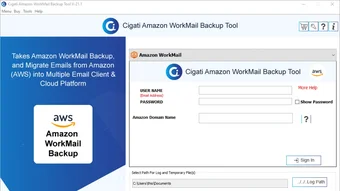
- First Launch & Configuration: Open the application. You’ll be prompted to enter your Amazon WorkMail credentials (access key ID and secret access key). The tool uses AWS SDK’s secure token service, so credentials are never stored in plain text.
- Set Backup Destination: Choose a local folder or network share where exported files will be saved. If you enable encryption, you’ll also set an encryption password at this stage.
- Schedule Backups (Optional): Navigate to the “Schedule” tab to define daily, weekly, or monthly backup windows. The scheduler runs as a Windows Service, ensuring backups execute even if you’re logged out.
- Run a Test Backup: Click “Start Backup” to verify connectivity and confirm that the tool can read mailbox data. Review the generated log for any errors.
The entire process typically takes under ten minutes, even on modest hardware (e.g., a laptop with an Intel i5 processor and 8 GB RAM). Because the application leverages native Windows APIs, it integrates smoothly with existing security policies and can be deployed via Group Policy for enterprise roll‑out. Users have reported that the installer does not bundle unwanted toolbars or adware, which aligns with the “free and clean” promise of the product.
Pros, Cons, Frequently Asked Questions, and Final Verdict
Pros
- Completely free with no hidden costs.
- One‑click full mailbox export simplifies backup routines.
- Supports incremental and scheduled backups to reduce resource usage.
- AES‑256 encryption keeps local backups secure.
- Detailed logs aid compliance and troubleshooting.
Cons
- Only available for Windows; no macOS, Linux, or mobile versions.
- Limited to Amazon WorkMail; does not support other email services.
- User interface, while clean, lacks advanced reporting dashboards.
- Initial setup requires AWS credentials, which may be a hurdle for non‑technical staff.
Frequently Asked Questions
Is the Cigati Amazon WorkMail Backup Tool truly free?
Yes. The tool is offered at no cost and does not require a subscription. All features, including scheduled and encrypted backups, are available in the free version.
Can I back up multiple WorkMail accounts simultaneously?
Absolutely. The application supports multi‑account management, allowing administrators to add several sets of AWS credentials and schedule backups for each account independently.
What file formats are used for the exported data?
Emails are saved as .eml files within a folder hierarchy that mirrors the original mailbox structure. Contacts export to .csv, and calendar events export to .ics, both of which are widely compatible with other email clients and calendar applications.
Is the backup process secure?
The tool uses AWS SDK’s secure authentication and can encrypt exported files with AES‑256. Logs are stored locally and can be protected with Windows file permissions to prevent unauthorized access.
How often is the software updated?
Cigati Solutions commits to monthly updates, which address Amazon API changes, security patches, and occasional feature refinements. Users receive update notifications within the application.
Conclusion & Call to Action
For Windows‑based organizations that rely on Amazon WorkMail, the Cigati Amazon WorkMail Backup Tool offers a straightforward, cost‑free method to safeguard email, contacts, and calendar data. Its emphasis on simplicity—single‑click backups, optional encryption, and clear logging—makes it especially appealing to small IT teams that lack the resources to manage complex third‑party backup solutions. While the absence of macOS or Linux support limits its reach, the focused Windows design ensures tight integration with existing enterprise policies and a low learning curve for end users. If data loss or compliance concerns keep you up at night, giving this tool a try could provide peace of mind without inflating your budget. Download the latest version today, run a test backup, and experience the convenience of having a local, secure copy of your Amazon WorkMail data at your fingertips.
Guides & Tutorials for Cigati Amazon WorkMail Backup Tool
How to install Cigati Amazon WorkMail Backup Tool
- Click the Preview / Download button above.
- Once redirected, accept the terms and click Install.
- Wait for the Cigati Amazon WorkMail Backup Tool download to finish on your device.
How to use Cigati Amazon WorkMail Backup Tool
This software is primarily used for its core features described above. Open the app after installation to explore its capabilities.
User Reviews for Cigati Amazon WorkMail Backup Tool 0
No reviews found





